
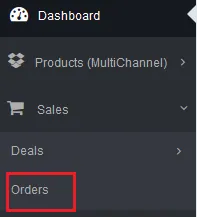
1.进入订单界面
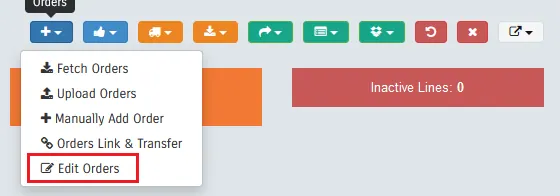
2.从蓝色加号的下拉框中选择EditOrders
3.在弹出的窗口中选择DownloadProcessing Orders(你只能编辑“in Processing”的订单)
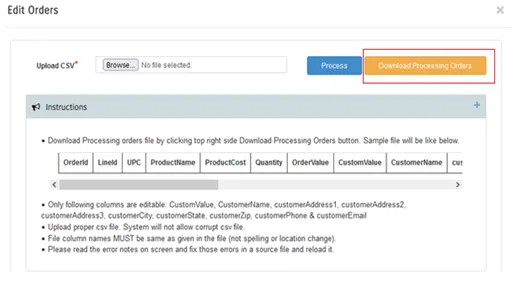
4.订单文件下载完成后你可以修改以下值:CustomValue;CustomerName;customerAddress1;customerAddress2;customerAddress3;customerCity;customerState;customerZip;customerPhone&customerEmail
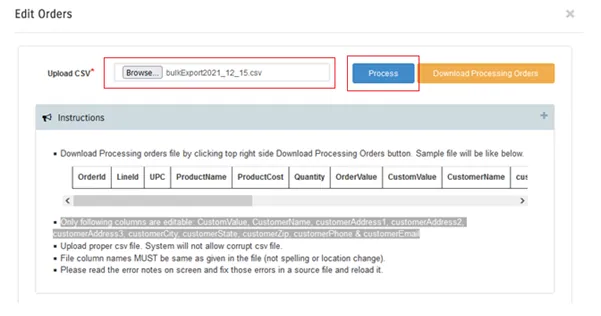
5.修改完成后还是在该窗口上传订单文件
原创文章,发布者:pka123,转转请注明出处:https://pka123.com/tutorial/dms%e6%89%b9%e9%87%8f%e4%bf%ae%e6%94%b9%e8%ae%a2%e5%8d%95%e7%94%b3%e6%8a%a5%e9%87%91%e9%a2%9d
